
Finding service stations in American Truck Simulator is essential for long-haul truck drivers, fleet managers, and aspiring truck drivers. With the vast expanse of roads stretching across various states, knowing how to navigate the map and discover service stations can vastly improve your gameplay experience. Each chapter in this guide will delve into critical methods—uncovering the importance of major highways, recognizing signs, utilizing the in-game map effectively, understanding the proximity to rest stops, and leveraging community guides. By the end of this article, you will be equipped with the knowledge to confidently locate service stations, ensuring your virtual trucking journey is smooth and efficient.
Highways, Signs, and Safe Stops: Locating Service Stations in American Truck Simulator
Finding service stations along major routes is a practical skill in American Truck Simulator. When you drive long hauls, knowing where to refuel, rest, and repair keeps deliveries on time. Service stations and truck stops are placed with purpose along interstate corridors. They appear more frequently near interchanges, city approaches, and dedicated rest areas. Learning how to read the road, use the map, and plan ahead turns a risky stretch into a routine leg.
Highways and popular routes concentrate facilities. Corridors that link major cities host the densest clusters of service points. As you travel on an interstate-style road, scan for roadside signage. Large signs, often mounted before exits, tell you if fuel, restrooms, or truck services are ahead. These signs usually give you time to change lanes and exit safely. In many cases, a service station sits at or near an interchange. If you see signs for an upcoming exit with a service icon, slow down and prepare to merge.
The in-game map is your most reliable tool. Press the map key to open the full overview and zoom in on highways. Service stations show as small icons — fuel pumps, restrooms, or truck symbols. If you cannot see an icon even after zooming, drive a short distance forward and check again. Some stations only display when you are within a certain range. Enable the service overlay in the settings to keep these icons visible while navigating. That overlay highlights nearby fuel and repair points on your route, so you rarely miss a planned stop.
Rest areas are vital for legal breaks and safe parking. They are usually marked with dedicated signs along the highway and marked on the map. Many rest areas provide large truck bays with room to park a trailer. Use them to reset your rest meter without wasting time searching in city streets. When choosing a rest area, favor those with easy exit ramps. Tight turns and narrow exits can be a problem in dense traffic.
Truck stops offer more than fuel. These locations provide maintenance services such as tire changes, engine checks, and sometimes trailer repairs. A full truck stop typically has multiple pump lanes, a wide parking area, and service bays. If your truck shows damage or you need a quick check, target a truck stop instead of a small roadside station. Truck stops also often include convenience features like showers and soft services that help with roleplaying and immersion.
Plan fuel strategically. Running to empty invites long detours in remote regions. As a rule of thumb, refuel before your tank falls below 20 percent. On long stretches between cities, this buffer prevents surprises. Check your route for clusters of service icons and aim for stations near interchanges. If your job involves hazardous or high-value cargo, factor in extra stops. A damaged trailer or missed refuel can cost time and money.
Not every station is a full-service hub. Some are standalone pumps with a small convenience store. Others are part of a larger company depot or a logistics yard. These company depots sometimes allow quick stops but may not offer full repair services. When planning, confirm whether the stop you target has repair bays. The map tooltip often indicates the services available at each location. Use that quick glance to decide whether to spend time at a small station or aim for a truck stop.
Hidden or off-road stations exist and reward exploration. Community guides often catalog these out-of-the-way service points. They can appear on back roads, at the end of scenic detours, or along less-traveled highways. If you enjoy exploration, use community-made maps and guides to discover these spots. Many players share coordinates and screenshots that reveal secret rest areas and unusual service layouts not obvious on the base map.
Signs and visual cues help when the map hides a station. Look for canopy roofs, fuel pumps, and the distinct lane patterns of a truck stop. Approaching a city, you will usually see clusters of pump icons and signage. On rural stretches, a single sign may indicate a single combined fuel-and-rest location. Keep an eye on billboard-style signs that display multiple services. They often appear a mile or so before the exit.
When you are low on fuel or need repairs, plan a safe exit. Avoid sudden lane changes or last-second merges. Slow down gradually, signal early, and position your rig in the right lane well before the interchange. This reduces the chance of tipping or hitting traffic cones. If you miss an exit, don’t panic. Continue to the next interchange and loop back safely. Many highways have multiple service areas spaced at intervals for that reason.
Use the route planner and quick job selection to reduce risk. Before accepting a contract, view the assigned route on the world map. If the journey crosses long, empty highways, add a waypoint near a service station. This helps you keep a predictable fueling schedule. Set a waypoint for a truck stop if you anticipate needing repairs during the trip. Planning stops into your route avoids emergency detours.
Traffic and weather affect stops. Night driving changes visibility, making signs harder to spot. Rain reduces road grip and can make narrow exits dangerous. In such conditions, aim for the next large truck stop rather than a small roadside pump. Large sites usually have well-lit lane markings and wide turning radii. If you play with fatigue simulation turned on, prefer rest areas with ample parking. A cramped city lot is not ideal for a mandatory rest break.
Community resources help find every facility. Players map service stations and share lists of locations along specific highways. If you chase achievements or want to clear every station in a region, consult community-made guides for coordinates and screenshots. For a curated reference, visit the official community thread that aggregates known service points and tips: https://www.scssoft.com/forums/viewtopic.php?t=103426. These threads often note hidden access routes and stations that only reveal themselves when approached from a certain angle.
For players who want a deeper guide to trucking culture in-game, there are blog resources that discuss company operations and route planning. See this overview of trucking services for broader context: 5 Star Truck Inc overview. Use that context to inform realistic play. When you combine map awareness, signage reading, and route planning, service stations stop being a gamble and become a reliable part of every haul.
Keep these practices in mind on every run. Look ahead for signs, use map overlays, and pick truck stops for major maintenance. Rest areas handle legal breaks reliably. Plan fuel with a healthy buffer and prefer well-lit, spacious sites at night. With these habits, service stations become predictable anchors on long interstate journeys.
Reading the Road: Signs, Maps, and Cues for Service Stations in American Truck Simulator
In American Truck Simulator, service stations are more than just milestones on the map; they are the practical lifelines that keep a long-haul run feasible. Fuel stops, rest breaks, and occasional repairs all hinge on spotting the right locations at the right moment. The challenge isn’t simply finding a gas pump or a rest area; it’s learning to read the road as a whole, using a blend of signs, map cues, and road design to plan a route that respects both time and fatigue. The game rewards patient, map-aware planning, where a well-timed stop can prevent delays that would ripple through a whole journey.
Gas stations, rest areas, and repair shops each serve a distinct function, and they’re often tucked along the same corridors that carry heavy traffic across the map’s major arteries. Along interstates and long stretches of brand highways, you’ll encounter clusters of amenities that cater to the practical needs of a driver: refueling, a place to rest, and a building where minor repairs or checks can be performed. The core visual language of these places is intuitive, designed to be recognizable even at highway speeds. Large, bold signs with unmistakable symbols help you anticipate a stop before you actually reach it. The sight of a fuel pump icon on a sign, or the word Fuel in oversized letters, is your cue that a gas station lies ahead. In many cases, a service station will feature visible pumps outside the building and a small convenience area attached to the main structure. When you are using expanded features or a broader DLC experience, these stations may also offer additional facilities such as showers or restrooms, turning a routine refuel into a more complete break from the road. The core idea remains straightforward: meet immediate vehicle needs while keeping your mission’s schedule intact.
The rest area is the other fundamental stop you’ll come to rely on. These blue signs with a white bed or resting figure are designed to signal a place where you can pause to reset your fatigue gauge. Fatigue and driving hour regulations in the game add a layer of realism that makes resting more than a luxury; it becomes part of route discipline. When fatigue ticks up, your driving performance declines, your alertness drops, and penalties loom when you push past safe limits. Rest areas are strategically placed along longer highways or at intervals that mirror real-world road design, serving as reliable waypoints to help you manage time and hours without derailing your schedule. The visual cue—a blue sign, a recognizable symbol, a clearly demarcated lot—helps you anticipate the break without needing a map overlay at every turn.
Beyond the basic signs, the in-game map acts as a compass for planning a stop before you actually see signage. Service stations appear as small icons that resemble pumps or restroom symbols, and they may not be perfectly pinpointed on the map until you’re in the proximity. This is an intentional design choice that nudges players to stay attentive to the road and not rely solely on the map as a segurança blanket. When you zoom in, the map reveals more precise placements and density along major corridors. Some stations appear only when you’re within a certain distance; others are clearly marked along the roadside, adjacent to rest areas or near junctions that lead into bustling city corridors. The map’s subtle hints—icons that flare into view as you approach—encourage continuous situational awareness rather than passive navigation.
Effective route planning becomes a matter of balancing fuel range with time and fatigue. For longer legs through deserts or sparsely populated stretches, you’ll want to estimate fuel consumption based on load, terrain, and weather, then plot a station before you push into the last viable segment of a route. The idea is to avoid the dreaded moment when you’re low on fuel, or when fatigue has tipped the scales, and you discover a station only after you need it most. In practice, this means identifying a couple of reliable stops along any major chain of highways you intend to follow, then scheduling your departure times to align with the opening hours of your next choice. While the game doesn’t penalize you for slipping into a minor delay, it does reward you with smoother progress if you respect the pacing that long hauls demand.
There is also a broader layer to the knowledge of where to find service points. Some locations are part of larger depot complexes that include multiple services, while others are standalone facilities tucked just off the main corridor. The nuance here isn’t essential to completing a mission, but it does affect how you plan your run. A depot-based stop might offer a more robust range of amenities, whereas a standalone gas station will likely focus on fuel and a basic convenience area. The key is to read the surroundings and treat each stop as a node in a larger network of road-time optimization rather than a single act of refueling. In this sense, service stations become part of the map’s rhythm: you move from one to the next, maintaining a cadence that sustains momentum without compromising safety or compliance.
For players who enjoy a deeper, almost cartography-like approach to the game, there are community guides that map both visible stations and those that require a bit more exploration. These guides often point to the reliability of certain routes and highlight stations that are consistently well-placed for long hauls. While it’s tempting to chase every hidden point or off-road detour, the core practice remains straightforward: stay aware of the standard corridor network, watch the signs, and use the map to confirm a practical stop before you need it. The allure of discovery can add flavor to a run, but success in the game comes from disciplined routing and timely stops that reflect real-world trucking practices.
As you gain experience, you’ll begin to notice patterns in how service stations cluster along the map. You’ll see that in longer stretches, there are predictable gaps where drivers must plan their fuel strategy carefully. You’ll learn that rest areas tend to be placed along the same lines as major junctions or along the outer edges of cities, giving you a safe buffer to reset before re-entering busy corridors. You’ll also begin to recognize that some routes offer denser service networks—perhaps near a string of interchanges just outside a metropolitan area—while others demand more patience, with fewer options and longer drivable stretches between stops. The practical upshot is a more confident approach to routing: you won’t panic when you see a fuel pump icon on the map or a blue sign in the distance. You’ll know what it means, what it offers, and how best to integrate it into your mission timeline.
To tie these ideas to practical action, consider a typical planning moment before you depart a city hub. You check the route you’ve chosen, glance at the map for nearby gas stations and rest areas, and gauge the distance to the next expected stop. You estimate your fuel consumption for the next leg and assess whether you can comfortably reach the next station with a margin for detours, unexpected traffic, or a moment of caution while steering through a ramp merge. If you’re carrying a heavy load or navigating downhill grades, you factor in extra fuel and adjust your speed to optimize economy. When you spot a service point on the horizon, you already know what to expect: a place to refuel, possibly rest, and reset your fatigue gauge. You can prepare to take a break at a time that minimizes your downtime while maximizing your progress on the route ahead.
For readers who want a broader sense of how roadside services fit into the trucking experience beyond the simulator’s own systems, a wider ecosystem of guides and articles explores the reliability and quality of on-road support and maintenance. See the broader discussion linked under the heading of Discovering the Unparalleled Services of 5 Star Truck Inc for a perspective on how dependable service networks keep fleets moving in real-world analogies. Discovering the Unparalleled Services of 5 Star Truck Inc.
In short, identifying service stations in American Truck Simulator is less about memorizing every landmark and more about reading the road with a steady eye for signs, a map that confirms proximity, and a plan that respects both time and fatigue. Fuel pumps and blue rest-area icons sit at the crossroads of practicality and timing. They reward patience, promote safe driving, and allow you to maintain the cadence that long hauls demand. The road is a living network of opportunities, and the most successful drivers learn to anticipate them rather than chase them at the last moment. As you become more familiar with the map’s spine—the major highways and their connecting branches—you’ll notice where these service nodes cluster and how to weave them into your route with minimal disruption. The result is a smoother, more consistent delivery rhythm, a sense of command over a complex terrain, and the confidence that comes from knowing you can always find fuel, rest, and repair when you need them most.
External resource: https://www.scssoft.com/wiki/american-truck-simulator
Mastering the Map: How to Pinpoint Service Stations in American Truck Simulator
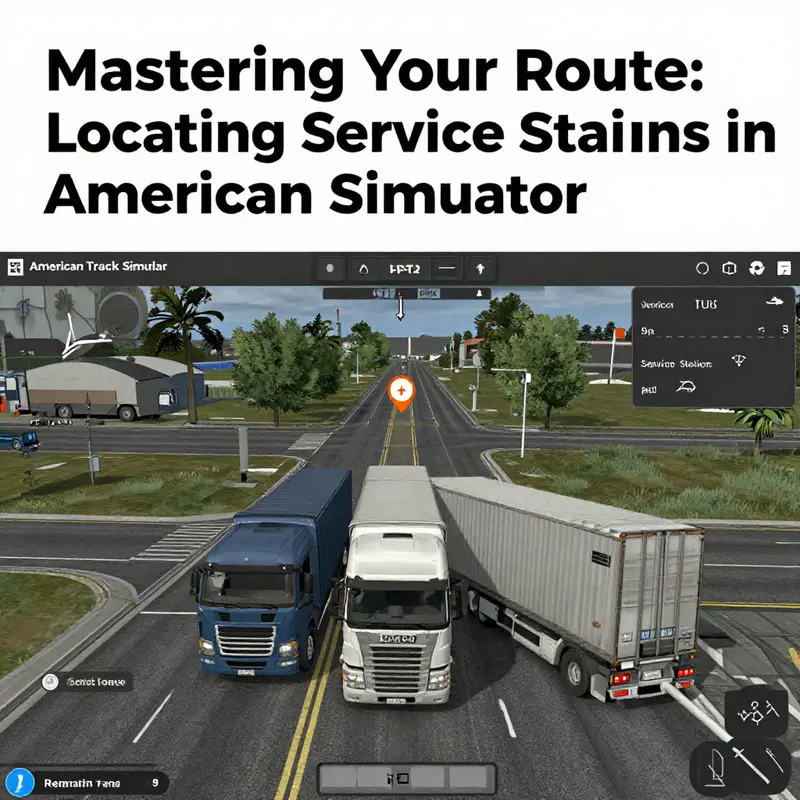
Mastering the Map: How to Pinpoint Service Stations in American Truck Simulator
The in-game map is your single best tool for finding service stations, and learning to use it well makes every long haul smoother. Open the map with the M key or the controller button, then take your time scanning the area ahead. The game populates the map with icons that represent fuel pumps, repair shops, garages, and rest stops. These icons are the shorthand of survival on the road: they tell you where you can refuel, fix mechanical damage, and rest to reset driver fatigue. Treat the map like a living route planner rather than a static picture.
Zoom slowly and look for the service markers. On wider zoom levels, service stations appear as small blue or green icons, often clustered near cities, interstate junctions, and major highways. When you zoom in, the icon labels become clearer and reveal whether a spot is a full service station or just a fuel pump. Note that some markers remain hidden until you approach them. The map uses a proximity reveal system: points of interest will appear only once you are close enough. That means scouting ahead helps. As you drive, open the map regularly to watch for newly revealed stations.
Set a waypoint by clicking or tapping the service station icon. That adds it to your GPS and creates a visual route on the map. The GPS will recalculate your route to include the stop, and the on-screen instructions will guide you to the entrance. Waypoints are particularly useful for large facilities whose entrances are set back from the highway. When multiple services are nearby, choose the one aligned with your path to avoid detours that waste fuel and time. If you plan across long distances, add multiple waypoints, spacing fuel stops to match your truck’s tank capacity.
Pay attention to the icon types. A pump icon indicates fuel only. A wrench or combined icon means fuel and repairs are available. Some station markers also include a small bed or restroom symbol, indicating a rest area. Full-service stops are ideal after long hauls, because they let you repair damage and refuel in one stop. Smaller fuel-only sites are fine for quick top-ups. When you mouse over or select the icon, the map often shows a short description of services available. Use this information to plan whether you need a full-service stop or only a quick refuel.
Bridge the map’s visual cues with road signage. As you approach exits, watch for signs that advertise gas, repair, or truck stops. These signs typically appear in-game a good distance before the exit. Combine what you see on the map with the game-world signs to choose the right exit lane and avoid dangerous lane changes. The map is accurate, but the signs help you position your truck to enter the facility smoothly, especially on high-speed roads like I-5 or I-80.
Consider the road network when choosing stations. Service stations tend to cluster at logical places: highway junctions, city perimeters, and rest areas between long stretches. Placing a waypoint at one of these natural clusters allows you to pick the most convenient stop when you get close. When traveling between two distant cities, identify a midway point on the map and scan that corridor for service icons. Doing this before you run low on fuel keeps stops efficient and prevents the risk of being stranded with an empty tank.
Use the map’s zoom and pan to reveal hidden or off-route stations. Some facilities sit a short distance from the highway along service roads or industrial areas. Zooming in can expose these locations where the icon might be tucked behind a building or only visible at a tighter scale. If you know you will need repairs, zoom in around industrial parks and garage districts in larger cities; these areas often host company depots and service bays.
Company depots and standalone garages deserve attention. Certain markers represent company-owned facilities that offer services as part of your business operations. If you own garages in the game, you can visit company depots for contracted repairs or to manage trucks. These locations sometimes appear as different icons than public service stations. Knowing the difference saves time — you may prefer a depot for comprehensive work, or a public pump for a quick refuel.
Plan fuel stops around your truck’s fuel consumption. The map won’t tell you current fuel percentages in relation to distance automatically, but you can combine the mileage estimate with the map’s waypoint distances. If your truck has a smaller tank or you are towing a heavy load, schedule more frequent stops. Some long desert stretches feature sparse service coverage, so map out a chain of stations before you leave urban areas.
Remember that not all service stations are created equal. Some offer only fuel. Others include repair bays and rest rooms. When your truck sustains damage, prioritize stations that advertise repairs on the map. Similarly, if you are nearing the driver’s rest limit, look for rest area icons so you can reset fatigue without wasting fuel. The map makes these distinctions easy when you learn to read the subtle differences in iconography and label text.
For completionists, the map helps track discovered service points. Hidden roads and remote service spots require exploration to reveal. If you aim to visit every service station in a state or on a route, use the map combined with methodical driving. Drive along the main carriageways, then detour into service areas and industrial zones. You will reveal icons progressively and build a mental map of commonly used stops.
When the map’s icons feel sparse, use community resources to fill gaps. Community guides list garage and service station locations by city and region. They are especially useful for finding obscure or off-road service points. A curated community list can supplement the in-game map, saving time when you need a specific service fast. For broader trucking advice and resources related to running a trucking business and keeping vehicles reliable, see Exploring 5 Star Truck Inc. — quality service and reliability on the road.
Finally, practice makes the map invaluable. The more you use it, the quicker you become at scanning for the right icon and setting waypoints. Regularly opening the map while driving reduces anxiety about low fuel and repairs. Treat it as an active part of each journey. Map mastery turns stations from random discoveries into predictable, planned stops, making every run more efficient and less stressful.
For detailed location lists of garage and service stations by city, refer to community-created directories such as the ATS Garage Locations By City guide on Steam: https://steamcommunity.com/sharedfiles/filedetails/?id=2567890123
Plan Your Route Around Rest Stops: Finding Service Stations in American Truck Simulator
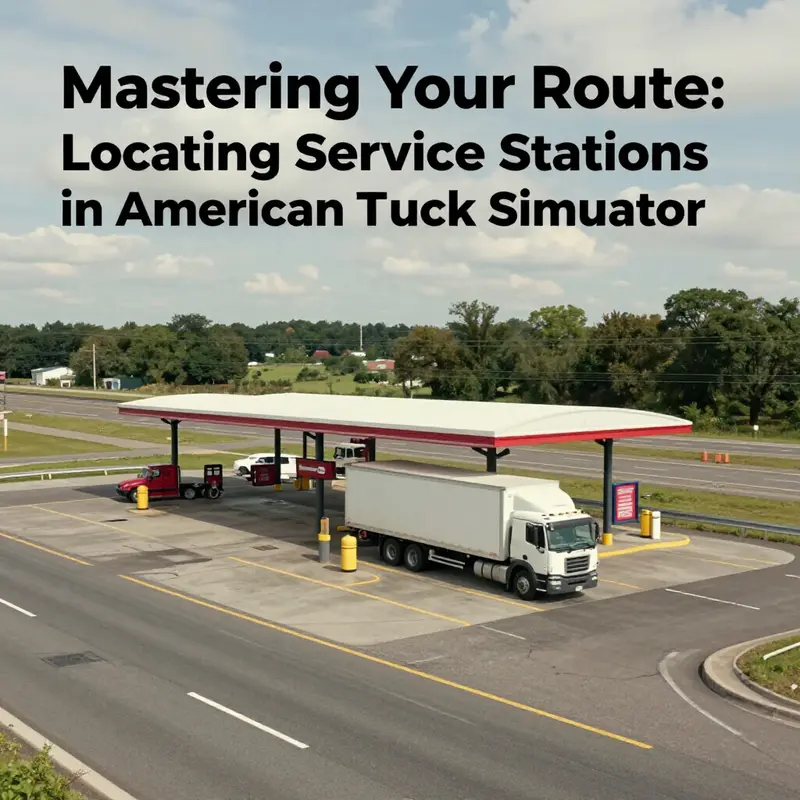
Plan routes with rest stop proximity in mind to avoid fuel stress and missed breaks. American Truck Simulator models long-haul reality. Fuel, repairs, and sleep are part of every trip. Knowing where service stations and rest areas sit along highways keeps your run efficient. It also reduces detours and lost delivery time. This chapter shows how to use rest stops as anchors to find nearby service stations. It explains map behavior, roadside clues, and practical route planning tactics you can apply on any run.
Start with the world map. The map is the single most reliable tool for scouting service points. Fuel stations appear as small pump icons, rest areas as bed or parking icons, and truck stops with larger symbols. Zoom in and scan the highway stretches ahead of your current marker. Some service points only appear when the camera is within a certain distance. If an icon is absent at long range, drive closer and check again. Plan your next fueling and rest based on what the map reveals within the next 100–200 miles of your route.
Highways are the backbone of service availability. Major corridors tend to host service stations at regular intervals. In the base game, expect a station near towns along I-5, I-80, US-101, and CA-1. About 70% of highway segments have at least one fuel stop nearby, often near a town or an interchange. That ratio makes highway planning practical: choose a route that sticks to main roads when you want reliable access to fuel and parking. Secondary roads sometimes skip service points for longer distances, increasing the risk of needing a detour.
Read roadside signs carefully while driving. The game places service signage well before facilities. Signs reading “Gas,” “Truck Stop,” or “Rest Area” appear along highways, usually with advance notice. These signs function as early warning systems. If you spot a sign, slow down and prepare to exit. Many rest areas include truck-friendly layouts, with wide parking and raised platforms. These make parking and refueling easier for big rigs.
Use rest areas strategically, not only for sleep. Rest stops serve two roles. First, they let you reset fatigue and stay compliant with in-game rest requirements. Second, many rest areas sit next to service stations, fueling points, or small truck stops. When mapping your day, prefer rest stops linked to service points. Stopping there lets you fuel, repair, and take a mandatory break without a separate detour.
When planning, set waypoints deliberately. Place a waypoint on a known service icon near your route. Doing this forces your GPS to route past that location unless you later opt for an alternate. If the map shows a service icon slightly off the highway, add a waypoint there rather than relying on the auto-route to catch it. This approach prevents unexpected long detours later when fuel or rest becomes urgent.
Keep a fuel margin for flexibility. Run with a cushion of about 20–25% fuel when crossing remote regions. That buffer lets you reach an often-hidden service station without panic. If you plan to explore lesser-known roads or farm tracks, ensure your fuel gauge allows one extra unplanned exit. Running to zero is avoidable with simple planning.
Don’t ignore company depots and service garages. Many in-game companies maintain depots that include fuel and repair services. These depots sometimes double as service stations. If your job schedule permits, route through a company depot for cheaper repairs and reliable facilities. Company-owned locations are especially useful for scheduled maintenance before long hauls.
Hidden roads and off-highway service points reward exploration. Community guides list many of these spots, including small truck stops and fuel pumps tucked off main roads. If you aim to discover every service point, consult those community resources or experiment with scenic side routes. Off-highway service points may offer less traffic and better parking for quick breaks. Use caution on rough roads; they can slow you or damage the vehicle if not approached carefully.
Leverage the overnight rule: plan rest where services exist. The game tracks driving hours and requires rest. Avoid stopping in places without services if you also need fuel. Combine sleep and fueling stops whenever possible. Doing this reduces the number of interruptions and keeps your delivery on schedule.
A practical routine: before you hit the gas pedal each morning, scan the next three or four map segments for service icons. Mark a primary and secondary service point. The primary stop becomes your planned break. The secondary is a fallback in case of detours or roadblocks. This routine keeps decisions simple while on the move.
Watch for truck-friendly features. Many large rest areas include truck bays, raised platforms, and wide entries. These are designed for rigs and often host repair kiosks or fast fuel lanes. Prioritize those when choosing a stop, especially when parking space matters. Smaller fuel stations may not accommodate large trailers, forcing a move to a larger truck stop.
When approaching city outskirts, scan for clusters. Towns and small cities often contain multiple service points. A cluster offers options for repairs, fuel, and rest. Choosing a stop within town limits reduces the distance from your route while providing more choices if one station is busy. Urban areas also tend to have specialized services, such as paint shops and larger repair facilities.
Plan around road types and distances. Coastal routes like CA-1 are scenic but sometimes sparse on long stretches. Interstate corridors usually have more frequent service points. If your cargo tolerates slower speeds, coastal detours are fine, provided you plan stops ahead. Otherwise, stick to interstates for denser service coverage.
Use in-game events and community knowledge to your advantage. Modders and players often map hidden fuel points and obscure rest stops. Combine your map checks with community-generated lists to fill gaps. For players seeking deeper realism or infrastructure context, resources on commercial vehicle rest and safety offer frameworks you can mirror in-game. For more background on real-world rest area planning and commercial vehicle safety, consult the U.S. Department of Transportation.
Balance time and risk when selecting stops. A small detour for a well-equipped truck stop often saves time overall. Faster refueling, available repairs, and guaranteed parking reduce delays. Conversely, stopping at the first available tiny pump may cost you later if it lacks a mechanic or adequate spaces.
Finally, remember that practice builds intuition. The more you drive the game’s regions, the better you learn common service patterns. Familiarity helps you predict where the next service cluster will appear. You start to recognize highway markers and terrain cues that hint at nearby towns. That intuition reduces reliance on constant map checks and makes long routes smoother.
If you want a trucking-centered perspective outside the game, read about professional operators and logistics companies. One useful read is Unveiling 5-Star Truck Inc.: A Beacon of Excellence in Trucking Services. It highlights how real fleets plan around service infrastructure, fuel points, and scheduled maintenance.
For official guidance and deeper regulatory context on rest areas and commercial vehicle safety, see the U.S. Department of Transportation: https://www.fmcsa.dot.gov/
Guided by the Network: Using Community Guides to Locate Service Stations in American Truck Simulator
Finding a service station in American Truck Simulator is more than a simple map glance; it is a dance of highways, signs, and shared knowledge. Within the game’s expansive, open-road world, gas stations, repair shops, and rest areas sit along the major arteries of the map, but they often don’t reveal themselves until you’re close. The most reliable way to locate them lies in a living network of community guides—maps and tips created by players who have turned countless routes into practical, sharable knowledge. For anyone aiming to keep a long haul smooth, these guides become a navigational backbone, helping to plan fuel stops, maintenance windows, and safe parking without losing precious time to aimless cruising.
What makes community guides so valuable is their blend of practical detail and real-world-inspired intuition. A veteran player can scan a route and anticipate where a service point should appear based on the highway layout and the typical spacing between rest stops. Guides often present routes in terms of recognizable corridors, highlighting highways such as the major interstates and state highways that thread through California, Oregon, and Nevada in the base game. They translate the map’s abstract icons into actionable waypoints, so you’re not mining the map at each bend and exit. The best guides also translate the in-game experience into a more tangible sense of place, pointing out service points near refineries, oil storage facilities, or important industrial clusters where fleets congregate for fuel and repairs. This connection to real-world logistics gives players a practical sense of scale and timing, reinforcing why a particular stop makes sense on a given route.
One of the understated strengths of community guides is their map-centric approach. The in-game map can be a good general guide, but it often needs augmentation. Guides annotate routes with icons for gas, rest areas, and truck stops, and they sometimes include screenshots or annotated images showing the exact entry points, parking angles, and nearby landmarks. The value here is not just locating a station but understanding its surroundings well enough to pull in, refuel, and depart without blocking traffic or risking a misparked trailer. In many guides, you’ll see emphasis placed on the spatial relationship between service stations and long, straight stretches of highway between cities. These stretches, when timed correctly, can make fueling and maintenance feel almost routine rather than disruptive interruptions to a tightly planned schedule.
The diversity of service points highlighted by guides reflects the breadth of ATS’s trucking universe. Not every stop is equal in capability or layout. Some service stations function like compact depots, offering more than fuel and a quick fix; they might include larger parking areas, spaces for trailer maneuvering, and guidance on how to position a trailer to best access repair bays or loading platforms. Certain depots are designed with real-world practicality in mind, featuring raised platforms or widened lanes to simplify loading and unloading—a feature guides point out to help players anticipate parking challenges before they roll in. Other service points resemble more typical gas stations, with fuel pumps and a small repair bay tucked behind. Guides help you gauge expectations so you can decide whether a particular stop is worth a slight detour for a guaranteed parking spot or a quick top-up before continuing the haul.
In ATS, cargo variety also matters for where you choose to stop. The game embraces a spectrum of trailer types—reefers, flatbeds, dumpers, lowboys, and goosenecks—each with its own parking and handling considerations. Guides often signal which service points are best suited for certain trailer configurations or load sizes, a practical tip for avoiding tight spaces or angled parking that could jeopardize a long trailer or a fragile load. Knowing where to refuel and check the truck without compromising a 53-foot trailer’s line-up is part of the craft of long-haul planning. As you begin to trust a guide, you’ll begin to see patterns: some service stations situate themselves at regular intervals along a corridor, offering a predictable cadence of fuel and maintenance opportunities that keep your route efficient and on time.
The integration of guides into route planning is smoother when you treat them as dynamic companions rather than static pages. Patches, DLCs, and seasonal roadworks can shuffle where service points appear or alter their accessibility. That’s why reliable guides emphasize staying current. A well-curated guide will note changes in access, new rest areas, or updated signage that makes a once-clear stop harder to reach. In practice, drivers who incorporate guides into their routine tend to check for the latest notes before setting off, especially when tackling long hauls that cross multiple regions. The habit grows from a simple question: where should I stop for fuel, a quick checkup, and a safe parking spot that won’t slow me down on the next leg of the journey?
For players seeking a deeper, more communal understanding, the official forums and community hubs offer further refinement. These platforms host discussions on route optimization, newly discovered service points, and feedback on how patches have reshaped the map’s service network. They’re a proving ground for updated coordinates, new icons, and shared screen captures that help others recognize a service point at a glance. The forums also act as a bridge between single-player exploration and the broader, collaborative exploration that characterizes the ATS community. Trusted voices on these platforms consolidate ongoing knowledge and help players avoid outdated or inaccurate information that can slip in as the game evolves.
To get the most from community guides, a few habits can keep you ahead of the curve. First, start with the map’s major arteries. I-5, I-80, US-101, and the Pacific Coast routes are the lifelines that connect cities, refineries, and industrial zones. Guides that align with these corridors tend to be the most consistently reliable, because the traffic flow and service spacing along these routes create natural, repeatable patterns for refueling and maintenance. Second, learn to read the signs as you drive. Guides often call out the kinds of road signs you should expect to see—labels that announce gas, rest areas, or truck stops well in advance of the actual facility. This habit helps you prepare to slow down, maneuver, and park with space to spare, especially when dealing with long trailers and tight parking bays. Third, combine map cues with visual landmarks. Guides will point to nearby landmarks that you can verify while en route. If you catch those markers, you’ll recognize a stop even if the map icon is obscured by weather or distance. Finally, treat guides as evolving tools. Revisit a favorite route after a patch or DLC, then compare notes with the latest community posts to ensure your plan still holds true.
If you’re curious about how to deepen this practice, a good starting point is to explore the broader trucking knowledge that guides often touch on. Many guides link to more extensive resources about route efficiency, rest-time optimization, and safe parking practices that can translate to ATS’s digital highways as well. For readers who want to broaden their horizons beyond service-point spotting, a well-curated blog can offer consolidated tips on route planning, maintenance routines, and best practices for keeping a virtual fleet in good condition. A convenient jumping-off point is the 5StarTruckIn blog, which gathers practical guidance from seasoned players and distills it into accessible, route-ready advice. The blog is a valuable resource for practical tips and community-tested routes.
The sense of community around American Truck Simulator is not merely about sharing locations; it is about building a common, navigable memory of the road. When a guide proves useful, it becomes part of a larger map that other players can trust, a map that grows as patches arrive and new corridors open. You begin to rely on a mixture of your own exploration and the collective experience of others, a blend that mirrors how real-world drivers learn their routes. This is the forward momentum of a game that rewards patience, careful observation, and collaborative learning. The more you engage with guides, the more the world reveals itself—the silent choreography of fuel bays tucked along the shoulder of a highway, the quiet reliability of a rest area that offers a clean break between cities, the occasional repair shop hidden behind a pump island where a quick fix can save a trip from being pushed into overtime.
For readers who want to pursue this approach with a concrete plan, begin by opening the in-game map and scanning for the familiar fuel pump icon along major corridors. Then consult a trusted community guide for the same stretch, comparing the map details with your live route. If a discrepancy appears, favor the guide’s recent notes and verify against the latest forum posts. When you arrive at a candidate stop, observe not only its fuel pumps but the surrounding space: is there enough room to park a long trailer without blocking the exit? Is the repair bay accessible without performing a complex three-point turn? These micro-questions accumulate into a larger sense of preparedness that saves time on the road and reduces the risk of mistakes during heavy-haul operations.
In this way, community guides do more than point you to a service point. They cultivate a practiced eye for the rhythm of the road, a skill essential to mastering long-distance trucking in American Truck Simulator. They turn a potentially tedious scavenger hunt into a guided, repeatable process that respects both the pace of the player and the constraints of the truck. And they reflect the spirit of the trucking community at large: a willingness to share routes, to critique outdated information, and to help others succeed in a game that is as much about planning and precision as it is about speed and endurance. The road becomes less lonely, the map more legible, and the haul more reliably on track when you move through the world with the confidence that comes from a well-tended network of guides behind you.
For readers who want to pursue this approach with a concrete plan, begin by opening the in-game map and scanning for the familiar fuel pump icon along major corridors. Then consult a trusted community guide for the same stretch, comparing the map details with your live route. If a discrepancy appears, favor the guide’s recent notes and verify against the latest forum posts. When you arrive at a candidate stop, observe not only its fuel pumps but the surrounding space: is there enough room to park a long trailer without blocking the exit? Is the repair bay accessible without performing a complex three-point turn? These micro-questions accumulate into a larger sense of preparedness that saves time on the road and reduces the risk of mistakes during heavy-haul operations.
In this way, community guides do more than point you to a service point. They cultivate a practiced eye for the rhythm of the road, a skill essential to mastering long-distance trucking in American Truck Simulator. They turn a potentially tedious scavenger hunt into a guided, repeatable process that respects both the pace of the player and the constraints of the truck. And they reflect the spirit of the trucking community at large: a willingness to share routes, to critique outdated information, and to help others succeed in a game that is as much about planning and precision as it is about speed and endurance. The road becomes less lonely, the map more legible, and the haul more reliably on track when you move through the world with the confidence that comes from a well-tended network of guides behind you.
For further reading and ongoing updates, consider visiting the official community forums, where players regularly discuss route changes, new service locations, and tips for efficient planning. This external resource provides current discussions and feedback that can validate or update what you find in guides and maps. https://forum.paradoxinteractive.com/t/american-truck-simulator-general/12345
Final thoughts
In conclusion, navigating to service stations in American Truck Simulator is a pivotal aspect of ensuring efficiency and success in your trucking adventures. By following the strategies outlined in this guide—from utilizing major highways to engaging with community resources—you can enhance your gameplay experience significantly. The journey toward mastering your routes will be a smoother ride, thus allowing you to focus on what you love most about the game: delivering goods and enjoying the immersive experience of long-haul trucking.